Actively exploited CVSS 9.8 Security news
Patch Tuesday November 2026: exploited Outlook flaw and critical Windows bugs
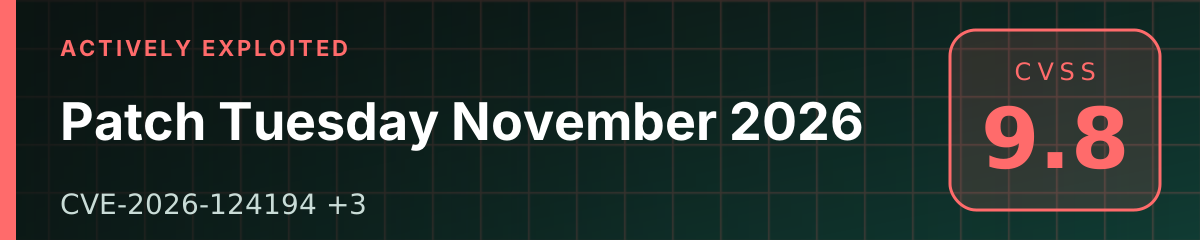
Microsoft shipped its November security updates on 10 November 2026. One flaw is already being exploited: CVE-2026-124194 in Outlook lets an attacker capture the NTLMv2 hash of a user who opens a crafted message file. The release also fixes critical CVSS 9.8 bugs in Windows LDAP and Windows Search.
Key points
- Microsoft released Patch Tuesday on 10 November 2026. The Security Update Guide lists 1,105 entries with that release date, 63 rated Critical. Only one is marked as exploited: CVE-2026-124194 in Outlook.
- CVE-2026-124194 (CVSS 6.5) is a spoofing flaw: when a user opens a crafted message file, Outlook connects to an attacker-controlled network location without the usual external-content warning and leaks the user's NTLMv2 hash, which can be used to impersonate them. The Preview Pane is not an attack vector.
- Critical fixes include CVE-2026-119958 in Windows LDAP (9.8, unauthenticated, over the network) and CVE-2026-116928 in Windows Search (9.8), which Microsoft says can be triggered by an email attachment that Exchange processes for indexing. CVE-2026-110043 in Outlook (8.8) can be triggered through the Preview Pane.
- Fixes ship in Office updates (LTSC 2021 build 16.0.14334.21048, LTSC 2024 16.0.17932.21140, Microsoft 365 Apps per the release notes) and in Windows cumulative updates such as KB5132061 for Windows 11 24H2 to 26H2 and KB5131080 for Windows Server 2025.
Vulnerabilities: CVE-2026-124194, CVE-2026-119958, CVE-2026-116928, CVE-2026-110043
What happened
On 10 November 2026 Microsoft released its monthly security updates (Patch Tuesday). The Security Update Guide lists 1,105 entries with that release date, 63 of them rated Critical. Media counts differ depending on what they include (third-party components, for example).
Microsoft marks a single flaw as actively exploited: CVE-2026-124194 in Outlook. None of this month's flaws is marked as publicly disclosed before the fix.
Technical details
CVE-2026-124194 – Outlook leaks the NTLMv2 hash
| Item | Value (Microsoft) |
|---|---|
| Type | spoofing, CWE-356 (UI does not warn of unsafe actions) |
| CVSS 3.1 | 6.5 (Medium), AV:N/AC:L/PR:N/UI:R/S:U/C:H/I:N/A:N |
| Exploited | yes |
| Attacker authentication | not required |
| Preview Pane | not an attack vector |
According to Microsoft, the attacker sends a crafted message file that the user opens in Outlook. Outlook then connects to a network location the attacker controls without displaying the usual external-content warning. During that connection Windows sends the signed-in user's NTLMv2 hash, which the attacker can use to authenticate as that user or try to crack offline.
Microsoft has not said which file type or protocol the attackers use. As a matter of principle, we don't describe how to exploit it.
Other serious flaws
| CVE | Component | CVSS 3.1 | What Microsoft says |
|---|---|---|---|
| CVE-2026-119958 | Windows LDAP | 9.8 | a crafted set of LDAP calls runs code in the context of the LDAP service, no authentication |
| CVE-2026-116928 | Windows Search | 9.8 | an email with a crafted attachment; Exchange processes the attachment for indexing automatically, so the recipient doesn't have to open anything |
| CVE-2026-110043 | Outlook | 8.8 | a crafted email; the Preview Pane is an attack vector |
Microsoft lists none of these as exploited as of 10 November 2026. CVE-2026-119958 is an out-of-bounds write (CWE-787) affecting all supported Windows versions; in practice domain controllers, which serve LDAP, are the most exposed. For CVE-2026-116928 Microsoft explicitly describes the path through Exchange, which indexes attachments without any user action.
Who is affected
CVE-2026-124194 (Outlook) – Microsoft lists these products and fixed builds:
CVE-2026-119958 (LDAP) and CVE-2026-116928 (Windows Search) – Windows 10 (1607, 1809, 21H2, 22H2), Windows 11 (23H2, 24H2, 25H2, 26H1, 26H2) and Windows Server 2016, 2019, 2022 and 2025, including Server Core installations.
How to tell if you were compromised
Microsoft has not published indicators of compromise or details of the attacks for CVE-2026-124194. Based on the flaw description, this is what we would look for:
- Outbound connections from
OUTLOOK.EXEto internet addresses over SMB (TCP 445) or WebDAV (HTTP/HTTPS), especially right after a message file or attachment was opened. - Firewall and proxy logs: outbound TCP 445 from workstations to the internet should not be allowed at all.
- NTLM logons (event 4624, NTLM authentication package) from unusual addresses for accounts that received a suspicious message.
- Message files (such as
.msgor.eml) received as attachments from unknown senders.
Paste exported logs into our IOC extractor, which runs entirely in your browser, to pull out addresses and domains. If you find connections to an external server, reset the affected account's password.
If you run Snort or Cisco Secure Firewall, update your ruleset: on 11 November 2026 Cisco Talos released Snort 2 and Snort 3 rules for flaws in the November Patch Tuesday (SIDs are listed in the Talos post). Detection rules complement patching; they do not replace it.
What to do
- Update Office. Microsoft 365 Apps and Office LTSC usually update themselves through Click-to-Run; check the build in Outlook (File → Office Account → About Outlook) against the table above.
- Install the Windows cumulative updates: Windows 11 24H2, 25H2 and 26H2 KB5132061, 23H2 KB5131087, 26H1 KB5132059; Windows 10 21H2/22H2 KB5131096; Windows Server 2025 KB5131080 (hotpatch KB5131077), 2022 KB5131090, 2019 KB5131085, 2016 KB5131291.
- Prioritise domain controllers (LDAP), Exchange servers and machines that index mail (Windows Search), along with user PCs running Outlook.
- Block outbound SMB (TCP 445) to the internet at the perimeter, and consider restricting outgoing NTLM and adding privileged accounts to the Protected Users group (our recommendation; Microsoft does not list these for this flaw).
- After patching, review the logs described above for the past few weeks.
Timeline
Updates
- 12 November 2026 – A researcher released SignDrop, a public exploit for a new flaw in the CLFS driver (local privilege escalation to SYSTEM). It came out after the November updates and Microsoft has not shipped a fix, so these updates do not address it. Details and guidance in SignDrop: unpatched CLFS flaw.
- 11 November 2026, evening – NVD completed its analysis of CVE-2026-124194. It lists Microsoft 365 Apps for Enterprise and Office LTSC 2021 and 2024 (32-bit and 64-bit) as affected – the same products Microsoft names in the table above. NVD added no CVSS score of its own; Microsoft's 6.5 (CWE-356) stands. Neither Microsoft nor CISA has published new indicators of compromise or attack details.
- 11 November 2026 – Cisco Talos released Snort 2 and Snort 3 rules for Microsoft's November flaws (added to How to tell if you were compromised). Microsoft still lists only CVE-2026-124194 as exploited.
- 10 November 2026, evening – CISA added CVE-2026-124194 (Outlook) to its Known Exploited Vulnerabilities (KEV) catalog; US federal agencies must patch by 24 November 2026. Known ransomware use is listed as unknown. Neither Microsoft nor CISA has published indicators of compromise.
- 10 November 2026 – first version of this article.
FAQ
The Outlook bug is only rated Moderate. Why rush?
Because Microsoft says it is already being exploited. A captured NTLMv2 hash can be cracked offline or relayed to sign in as the user elsewhere. CVSS describes the flaw's severity in isolation, not how eagerly attackers are using it.
Isn't it enough to tell users not to open attachments?
No. Microsoft says the attack needs the user to open a crafted file, and a well-written lure usually gets that click. Patching is the reliable fix. Blocking outbound SMB to the internet and restricting NTLM are good extra layers.
We use Outlook on the web or on mobile. Are we affected?
Microsoft lists only desktop Outlook in Microsoft 365 Apps for Enterprise and Office LTSC 2021 and 2024 as affected. Outlook on the web and mobile apps are not on the list.
We still run Office 2016 or 2019. Where is the patch?
Microsoft does not list those versions for CVE-2026-124194, and their support ended on 14 October 2025, so they no longer receive security updates. Move to a supported version.
Sources
- Microsoft – Security Update Guide: CVE-2026-124194 Microsoft Outlook Spoofing Vulnerability
- NVD – CVE-2026-124194
- Microsoft – Security Update Guide: CVE-2026-119958 Windows LDAP Remote Code Execution Vulnerability
- Microsoft – Security Update Guide: CVE-2026-116928 Windows Search Remote Code Execution Vulnerability
- Microsoft – Security Update Guide: CVE-2026-110043 Microsoft Office Outlook Remote Code Execution Vulnerability
- Microsoft – Microsoft 365 Apps security updates (release notes)
- CISA – Known Exploited Vulnerabilities Catalog
- Cisco Talos – Microsoft Patch Tuesday for November 2026 (Snort rules)
Spotted a mistake? Let us know and we will correct it openly.
Related
Actively exploited
Arara Message breach: 81 million email addresses stolen and phishing sent in card issuers' names
An attacker broke into Arara Message, a Japanese bulk email delivery service, took more than 81 million email addresses belonging to the customers of roughly 380 companies, and used the service itself to send up to 7.13 million phishing emails posing as credit card companies. The fallout is now reaching downstream customers: on 13 November 2026 the City of Osaka disclosed that 1.08 million addresses of users of its online services system were exposed. Here is what is confirmed and what it means for defenders and users.

Actively exploited
BlackNevas ransomware wiped ESXi and backups after enabling SSH through vCenter Host Profiles
On 13 November 2026 Kaspersky GERT published its analysis of a BlackNevas ransomware intrusion that encrypted four ESXi hosts with every virtual machine on them, both vCenter appliances and the backup infrastructure. No VMware vulnerability was needed: credentials stolen from other systems and everyday vCenter features were enough. Here is how it unfolded, the indicators, and what to monitor.
Actively exploited
Exploited UnrealIRCd flaw CVE-2026-114713 lets any user run commands with server authority
On Friday 13 November 2026 CISA added CVE-2026-114713, a flaw in the UnrealIRCd IRC server, to its Known Exploited Vulnerabilities catalog and gave federal agencies just three days to fix it. The bug in the labeled-response module lets any user on a network with two or more linked servers inject server-to-server commands that are executed with server authority, such as KILL or GLINE. The project's maintainer called it the most critical UnrealIRCd issue in 15 years. The fix shipped on 7 November as version 6.2.7.1 and as a hot-patch that needs no restart.